
How to Install IPTV on Samsung & LG Smart TV — Full Setup Guide
Both Samsung and LG Smart TVs support IPTV Smarters Pro natively — no Firestick, no extra hardware needed. This guide covers the full install on both platforms, then walks you through adding your subscription via Xtream Codes API (recommended) or M3U Playlist, step by step with screenshots.

Install IPTV Smarters Pro on Your Smart TV
The first step is the same for both Samsung and LG — find and install the free IPTV Smarters Pro app from your TV's built-in app store. Use the tabs below for your platform.
- Step 1 — Press the Smart Hub button on your Samsung remote
- Step 2 — Navigate to the Apps section and use the search bar
- Step 3 — Search for Smarters Pro and install the free app
- Step 4 — Open the app — you're ready to add your subscription
- Step 1 — Press the Home button on your LG remote
- Step 2 — Go to LG Content Store
- Step 3 — Search for Smarters Pro and install it for free
- Step 4 — Launch the app — on first open you'll see the Terms of Use screen. Scroll down and click Accept to continue
Search for "Smarters Pro" in your TV's app store — it's free to download on both platforms
Choose Your Login Method
IPTV Smarters Pro supports two ways to connect your subscription. Select the method your provider uses — if you're not sure, check your welcome email or ask their support team.
1 Open App & Select Login Method
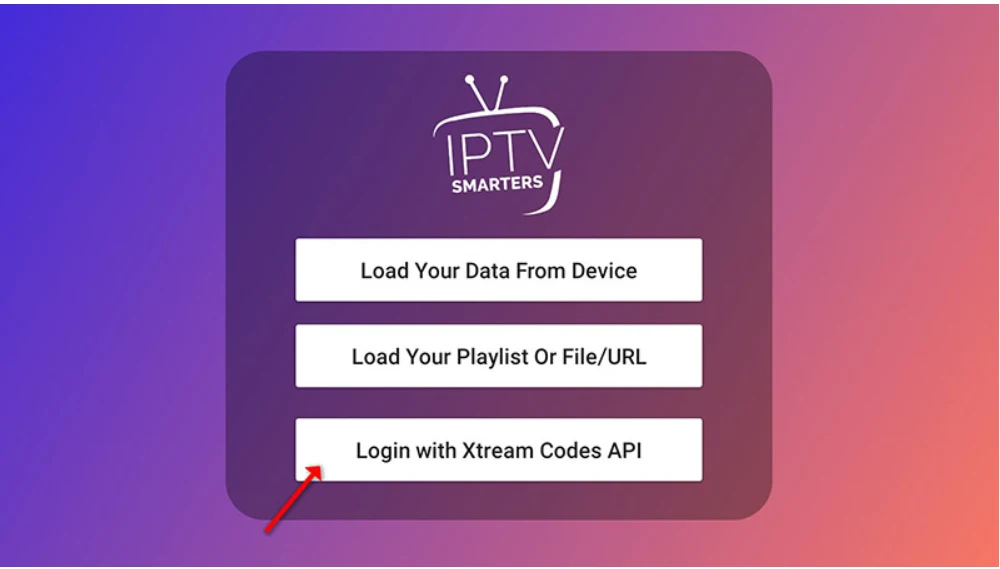
Open IPTV Smarters Pro on your Smart TV. If it's your first time, accept the Terms of Use. On the main screen, tap "Add User", then choose "Login with Xtream Codes API".
Tap "Add User" then select "Login with Xtream Codes API"
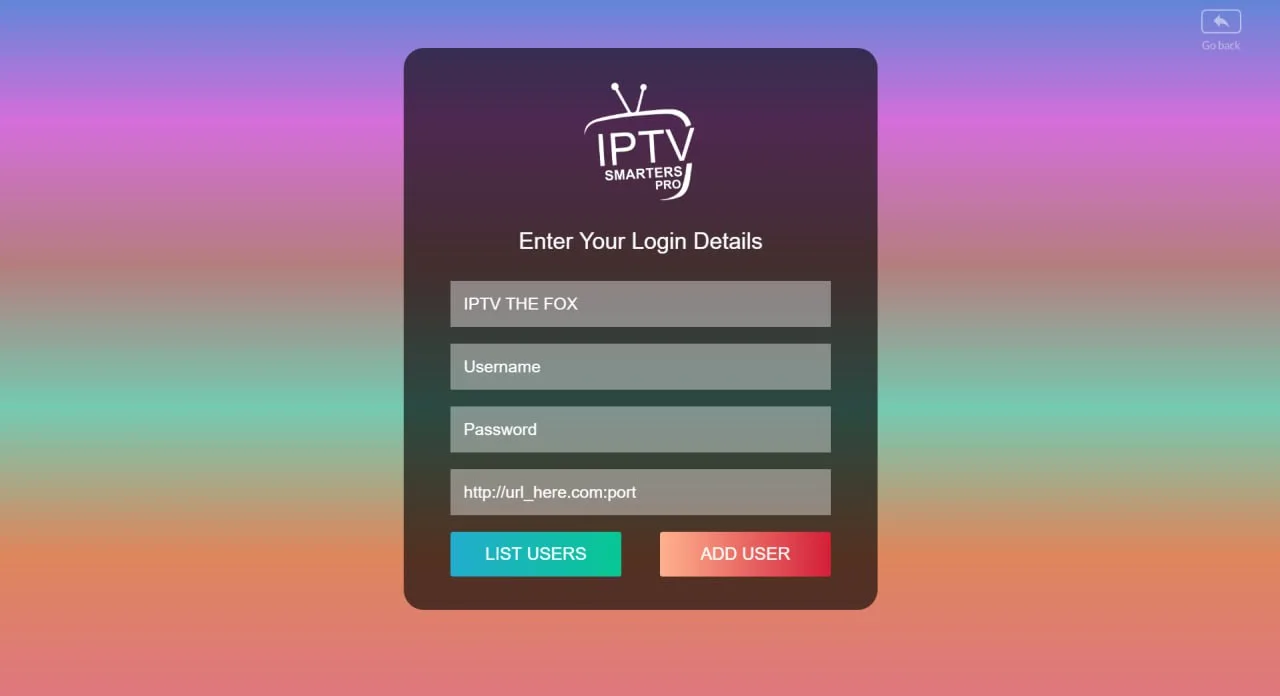
2 Enter Your IPTV Credentials
Fill in the four fields on the credential screen. Your IPTV provider sends these details via WhatsApp, email, or live chat when you purchase a subscription.
- Any Name — a label for this account, e.g. IPTV The Fox
- Username — from your provider's welcome message
- Password — from your provider's welcome message
- Server URL — the full server address (e.g. http://server.com:8080)
Double-check the Server URL — copy-paste it directly from your welcome message to avoid typos. Then tap "ADD USER".
Enter your name, username, password and server URL — then tap ADD USER
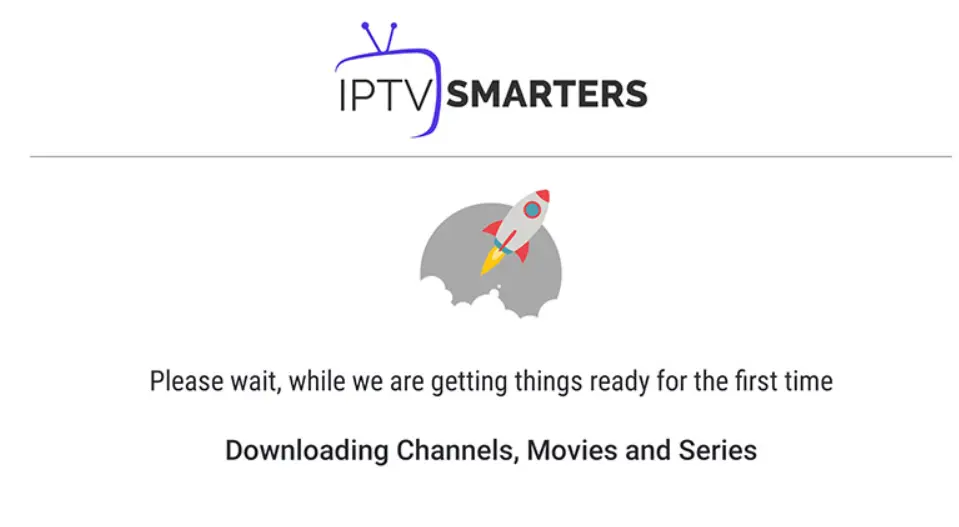
The app connects and loads your content — takes around 10–30 seconds
3 Wait for Content to Load
After tapping ADD USER, IPTV Smarters Pro connects to your provider's server and fetches your full content library. This takes 10–30 seconds — don't close the app while it loads.
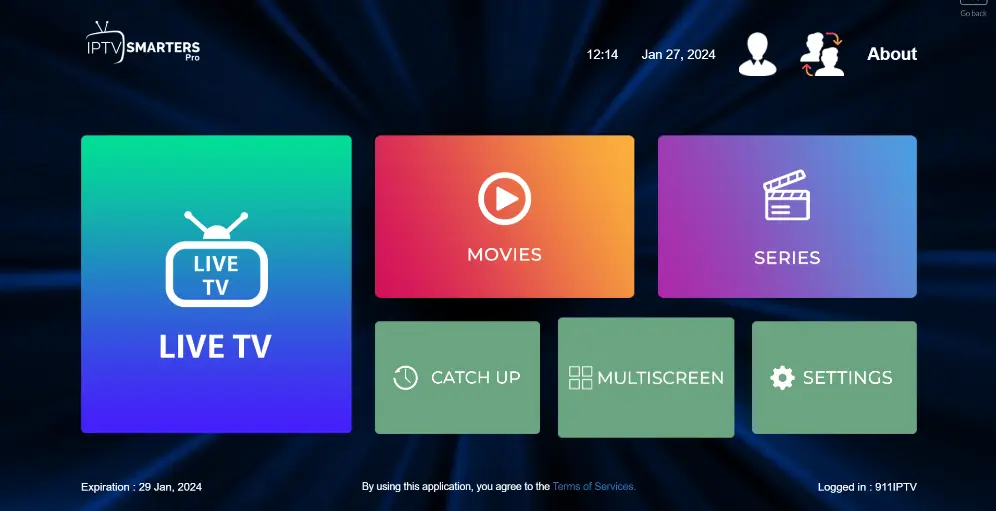
Once complete, you'll land on the main IPTV dashboard with three sections: Live TV, Movies, and Series.
4 Tap Live TV & Browse Channel Groups
On the dashboard, click the Live TV icon. You'll see your channels organized into groups — Sports, News, Movies, Entertainment, Kids, and more, depending on your subscription.
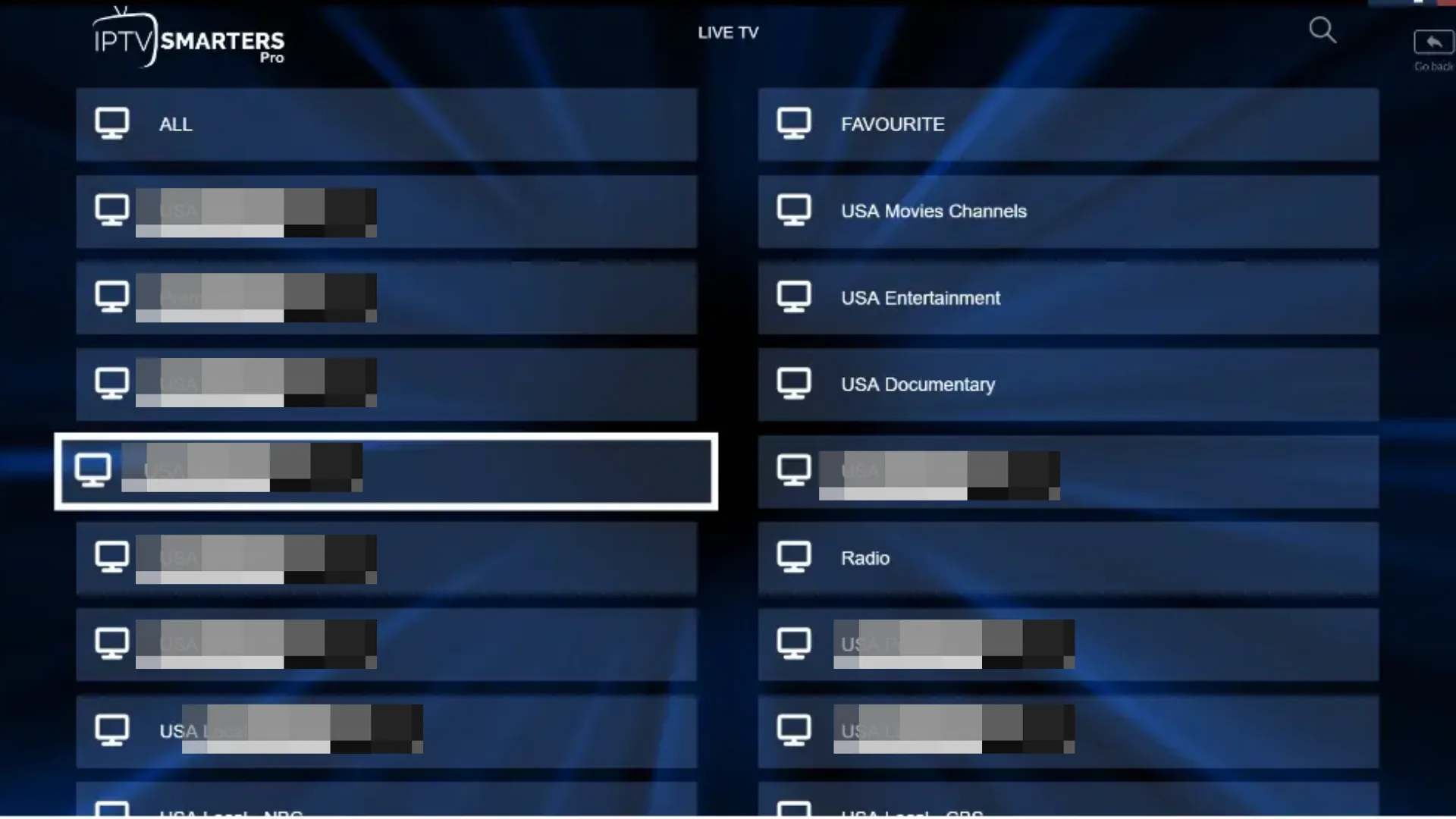
Tap Live TV to see your channel groups — organized by category
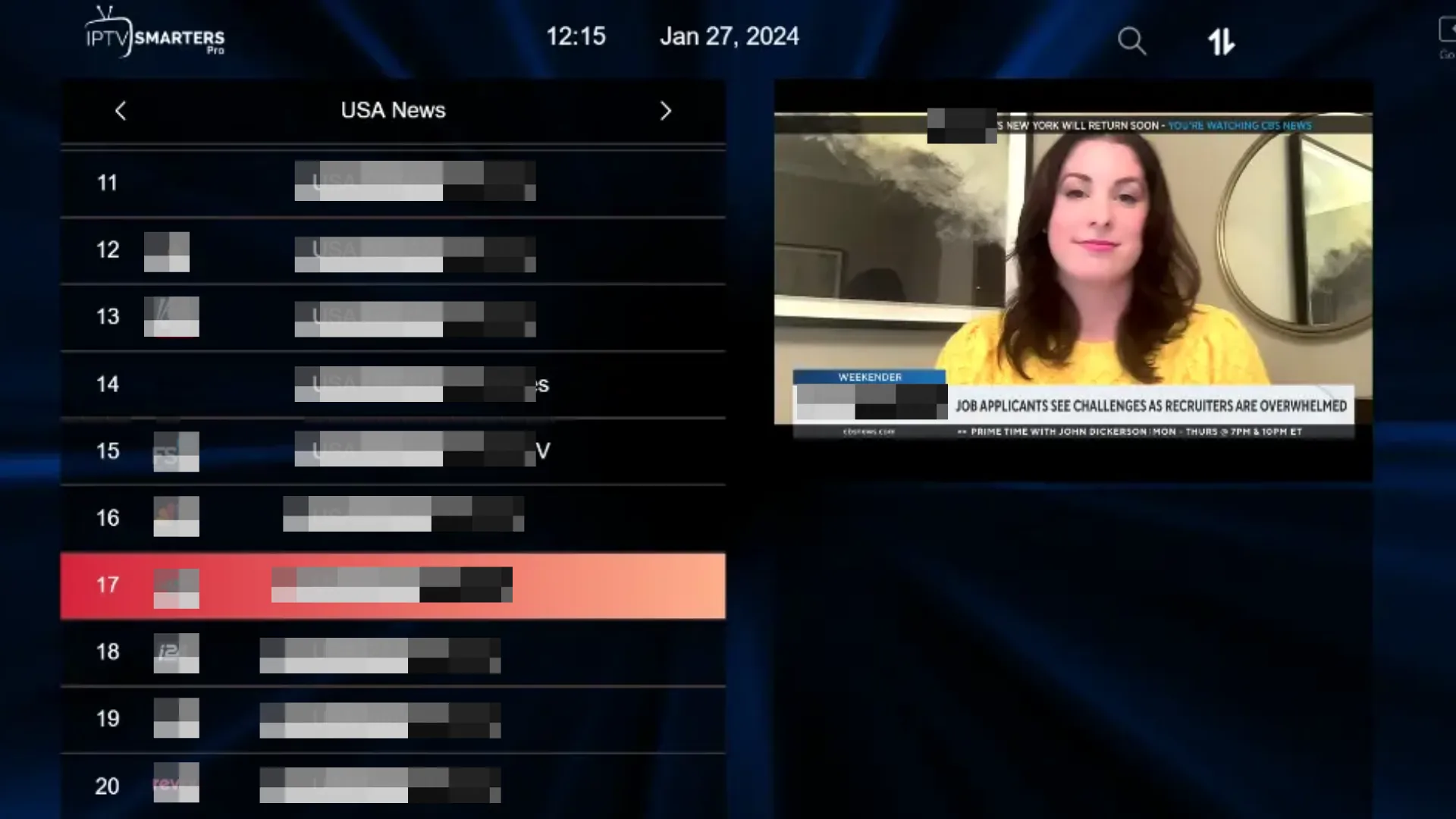
Select a group then tap any channel to start watching
5 Select a Channel & Go Full Screen
Tap any channel name to start streaming. A small preview window appears — double-click it (or press OK/Enter on your remote) to enter full-screen mode and enjoy the full picture quality.
Channel preview — double-click or press OK to go full screen
Full-screen playback — your IPTV is now live on your Smart TV
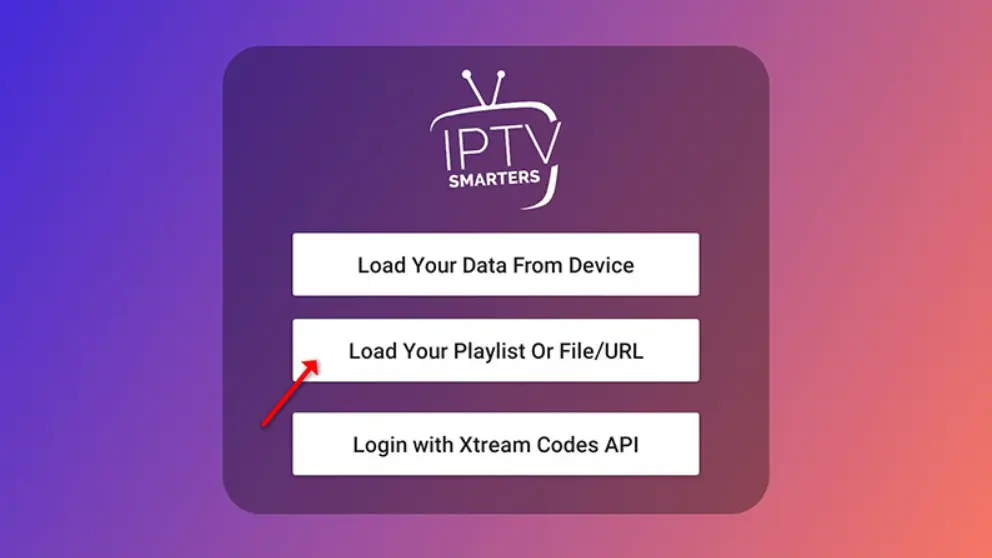
1 Select the Playlist Option
Open IPTV Smarters Pro on your Smart TV. Tap "Add User", then choose "Load Your Playlist or File/URL" — this is the M3U method.
http://server.com/get.php?username=...&type=m3u2 Enter M3U Playlist Details
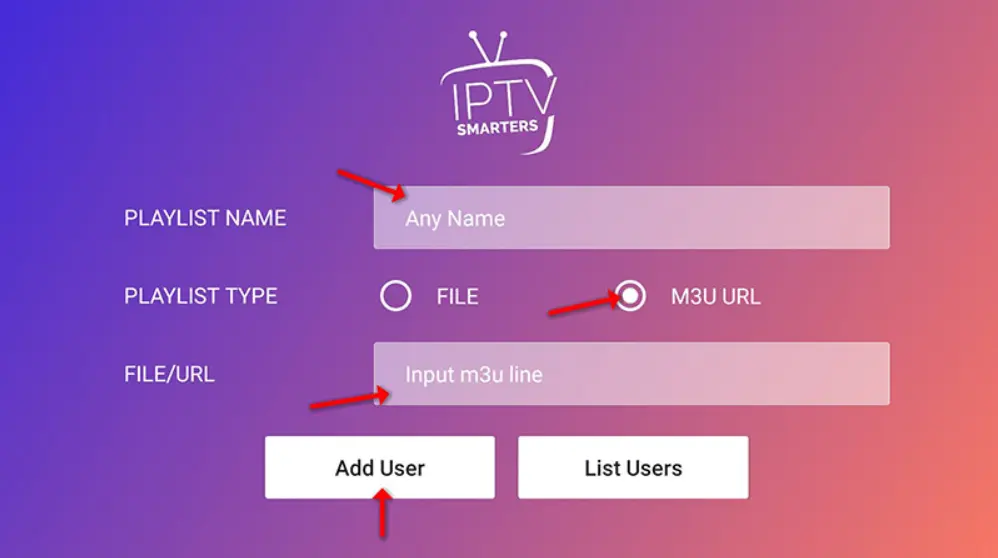
On the playlist screen, fill in three fields:
- Playlist Name — any label, e.g. IPTV Playlist
- Playlist Type — select M3U URL
- M3U Link — paste your full M3U URL from your provider
Then tap "Add User" to connect. Your channels will load in 10–30 seconds.
3 Start Watching Live TV
Once loaded, tap the Live TV icon on the dashboard. Browse your channel groups, select a group, pick a channel, and double-click the preview to go full screen. Your IPTV is ready.
Frequently Asked Questions
🦊 Ready to Stream? Get Your IPTV Subscription
IPTV The Fox works natively with IPTV Smarters Pro on Samsung and LG Smart TVs. 18,000+ live channels, HD & 4K quality, and instant activation.
Explore IPTV The Fox →