
How to Install IPTV on Windows & Mac — IPTV Smarters Pro Guide
Whether you're on a Windows PC or a MacBook, getting IPTV running takes less than 10 minutes. This guide covers downloading IPTV Smarters Pro on both platforms, connecting via Xtream Codes API or M3U Playlist, and watching live TV channels — step by step, with screenshots at every stage.
1 Download IPTV Smarters Pro
The download process differs slightly between Windows and Mac. Use the tab for your device below.
On Windows, IPTV Smarters Pro is installed via the Microsoft Store or as a direct APK download. Search for IPTV Smarters Pro in the Microsoft Store, install it, and launch when complete.
On MacBook or iMac, open the App Store, search for IPTV Smarters Pro, and click Get to download it for free. You may need to confirm with your Apple ID password or Touch ID.
IPTV Smarters Pro — free to download on Windows and Mac
2 Launch the App & Accept Terms of Use
Open IPTV Smarters Pro after installing. On your first launch, the app shows a Terms of Use screen. Scroll to the bottom and click Accept to continue — this only happens once.
You'll then land on the main screen where you can add your IPTV subscription.
Scroll to the bottom and click Accept on the Terms of Use screen
Choose Your Login Method
IPTV Smarters Pro supports two ways to add your subscription. Check your welcome email or ask your provider which format they use.
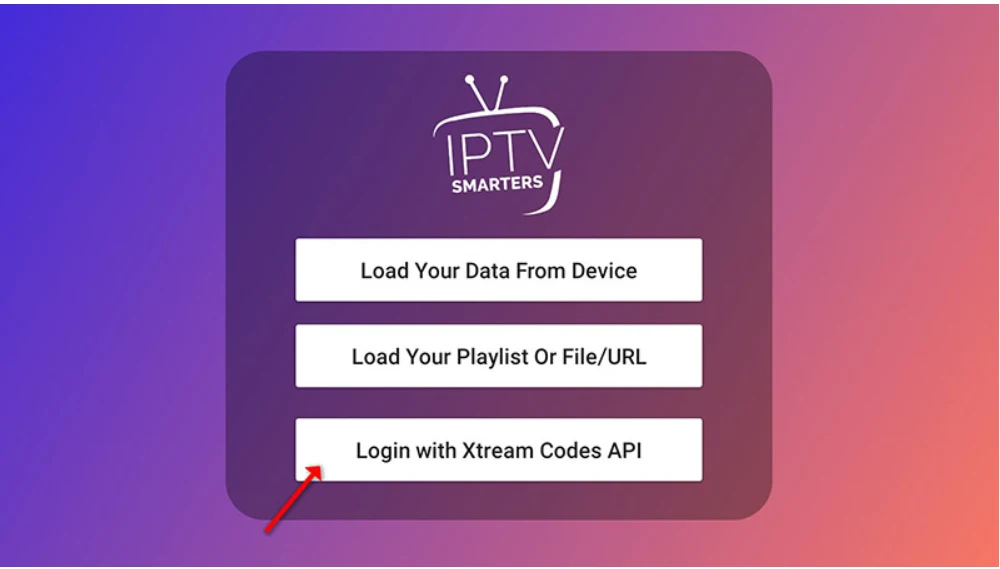
3 Tap Add User → Select Xtream Codes API
On the main screen, click "Add User", then select "Login with Xtream Codes API". This is the fastest way to connect your IPTV subscription — your full channel list, EPG, and Catch-up all load automatically.

Tap Add User → select "Login with Xtream Codes API"
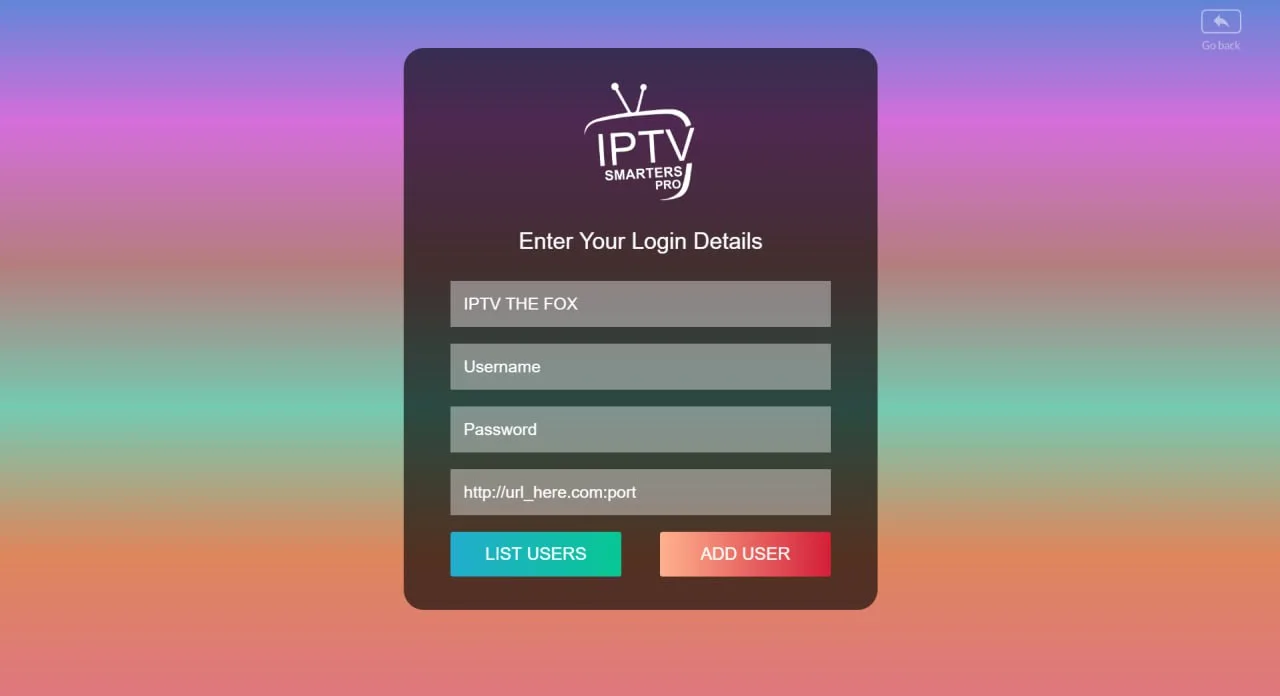
4 Enter Your IPTV Login Details
Fill in the four fields on the credential screen. Your provider sends these details by WhatsApp, email, or live chat when you activate your subscription.
- Any Name — a label for this account, e.g. IPTV The Fox
- Username — provided by your IPTV service
- Password — provided by your IPTV service
- Server URL — the full address, e.g.
http://yourserver.com:8080
Copy-paste the Server URL directly from your welcome message to avoid typos. Then click "ADD USER".
Enter your name, username, password and server URL exactly — then click ADD USER
- 18,000+ live channels & 130,000+ VOD
- US, UK, Canada & international sports
- Works with IPTV Smarters, TiviMate & more
- Up to 5 devices · Antifreeze™ & VPN-friendly
- Full EPG + PPV events (UFC, boxing, WWE)
- Family-friendly — 100% clean, no adult content
- 4K sports: NFL, NBA, MLB, UEFA, F1, MMA & more
Works on Windows, Mac, Smart TV, FireStick & more
5 Wait for Content to Load
After clicking ADD USER, IPTV Smarters connects to your provider's server and fetches your full content library. This takes 10–30 seconds — don't close the app while it loads.
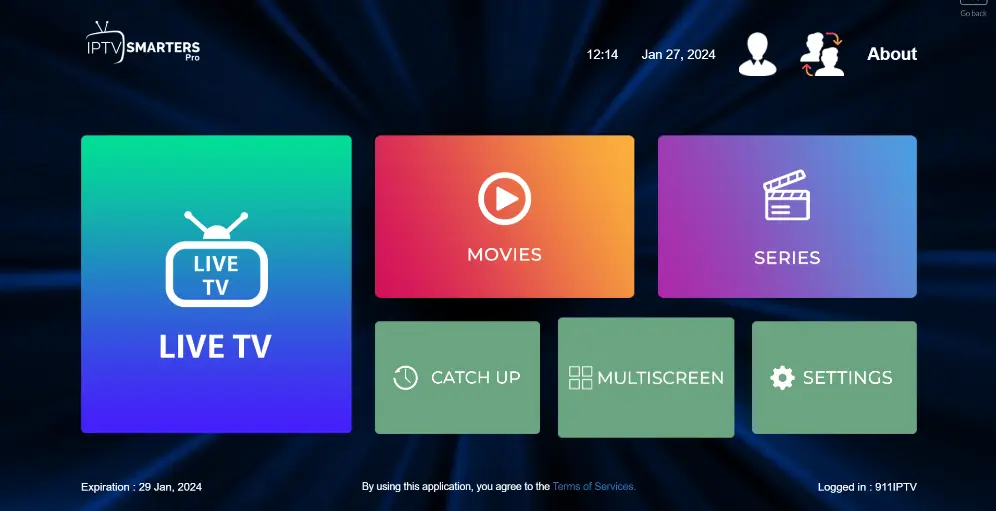
Once done, you'll land on the main dashboard showing: Live TV, Movies, Series, and Catch Up.
6 Tap Live TV & Browse Channel Groups
Click the Live TV icon on the dashboard. Your channels are organized into groups — Sports, News, Entertainment, Movies, Kids, and more.
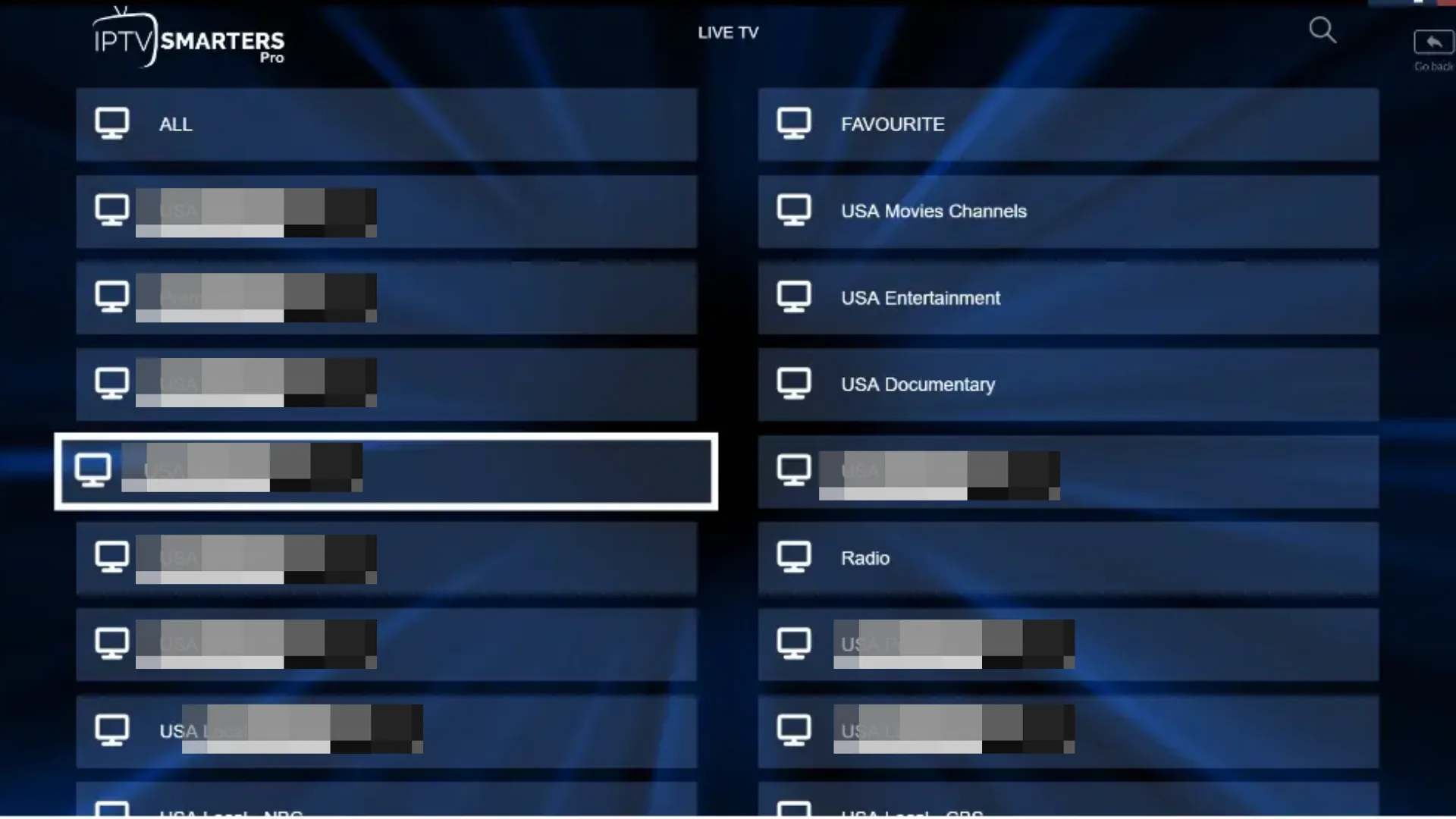
Click Live TV to see your channel categories
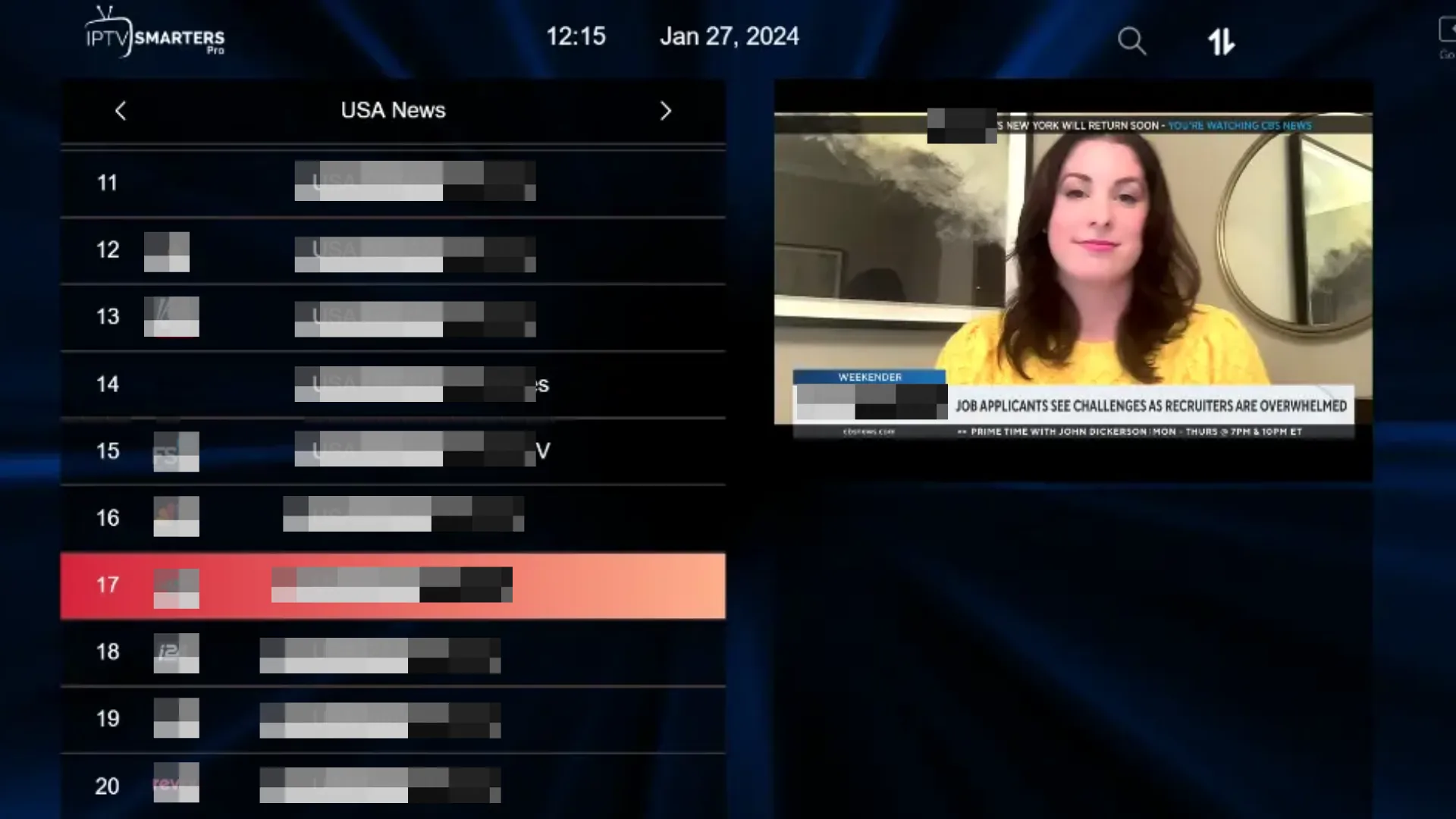
Select a group then click any channel to start watching
7 Select a Channel & Go Full Screen
Click any channel name to open a preview window. Double-click the preview to switch to full-screen mode. Press Escape or the Back key to return to the channel list.
Click a channel to open the preview — double-click to go full screen
Full-screen live TV on your laptop — enjoy the experience
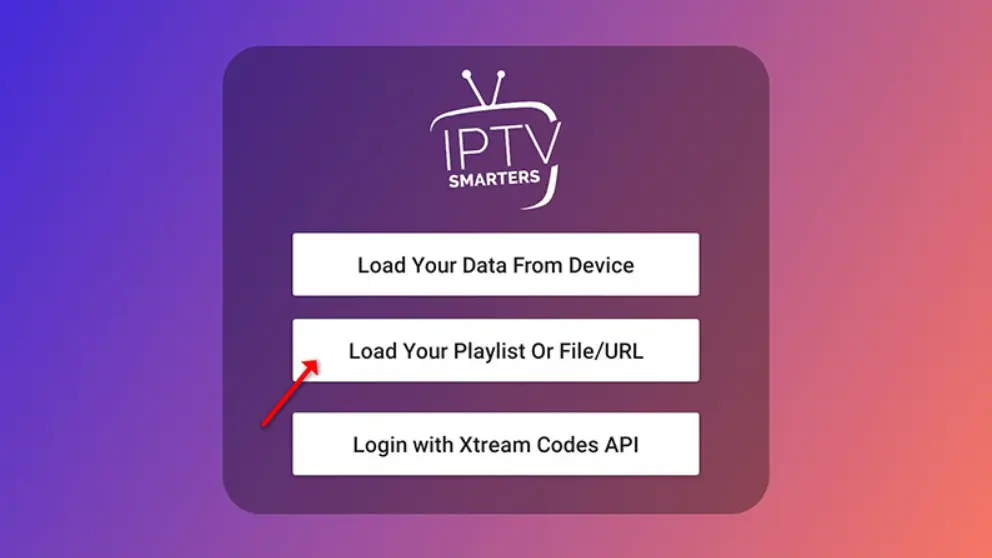
1 Tap Add User → Select Playlist Option
Open IPTV Smarters Pro and tap "Add User". On the login method screen, choose "Load Your Playlist or File/URL" — this is the M3U option.
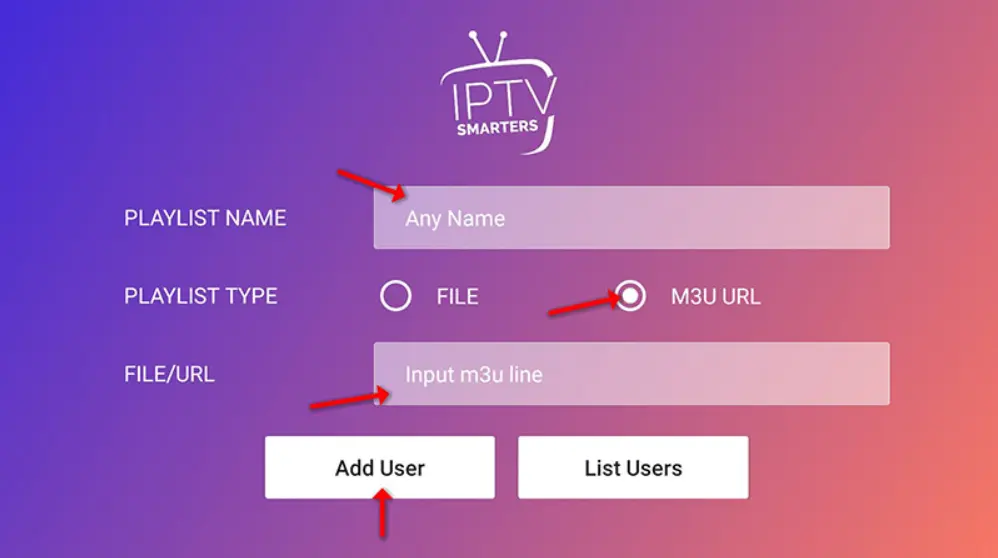
2 Enter Your M3U Playlist Details
- Playlist Name — any label, e.g. IPTV Playlist
- Playlist Type — select M3U URL
- M3U Link — paste the full URL sent by your provider
Tap "Add User" to connect. Your channels load in 10–30 seconds.
3 Browse Live TV & Start Watching
Tap Live TV on the dashboard, select a channel group, pick a channel, and double-click the preview to go full screen. Your IPTV is ready on your laptop.
Frequently Asked Questions
🦊 Ready to Stream? Get Your IPTV Subscription
IPTV The Fox works perfectly with IPTV Smarters Pro on Windows and Mac. 18,000+ live channels, 4K quality, and instant activation — no contract required.
Explore IPTV The Fox →